Choosing a Neurology Machine is a clinical and operational decision, not a contest for the longest feature list. The World Health Organization’s 2024 neurological-disorders report estimates that 3.4 billion people were affected by neurological conditions in 2021. That matters. A suitable device can support timely assessment, but only when it fits the patients, clinicians, and services using it.
WHO Director-General Dr. Tedros Adhanom Ghebreyesus said, “This report should serve as an urgent call to action to prioritize brain health and ensure that those living with neurological conditions have access to the quality care and treatment they need.” His statement is not a purchasing rule; it is a useful reminder to judge equipment by the care it enables. A clinic comparing EEG, EMG, or other diagnostic systems should examine intended use, signal quality, workflow, staff training, service support, and total cost. Small details count. Can the electrodes be placed comfortably? Is the display readable during a busy shift? Can the supplier provide dependable maintenance?
This guide’s seven tips will help buyers ask sharper questions before committing to a Neurology Machine. It will consider clinical needs, essential specifications, usability, compatibility, vendor credentials, after-sales support, and long-term costs. No checklist removes every compromise. I have to admit that product brochures can make ordinary features sound decisive. Independent evidence, hands-on evaluation, and input from the people who will operate the system deserve more weight. The best choice is not automatically the newest or most expensive; it is the machine that reliably serves a defined clinical purpose.
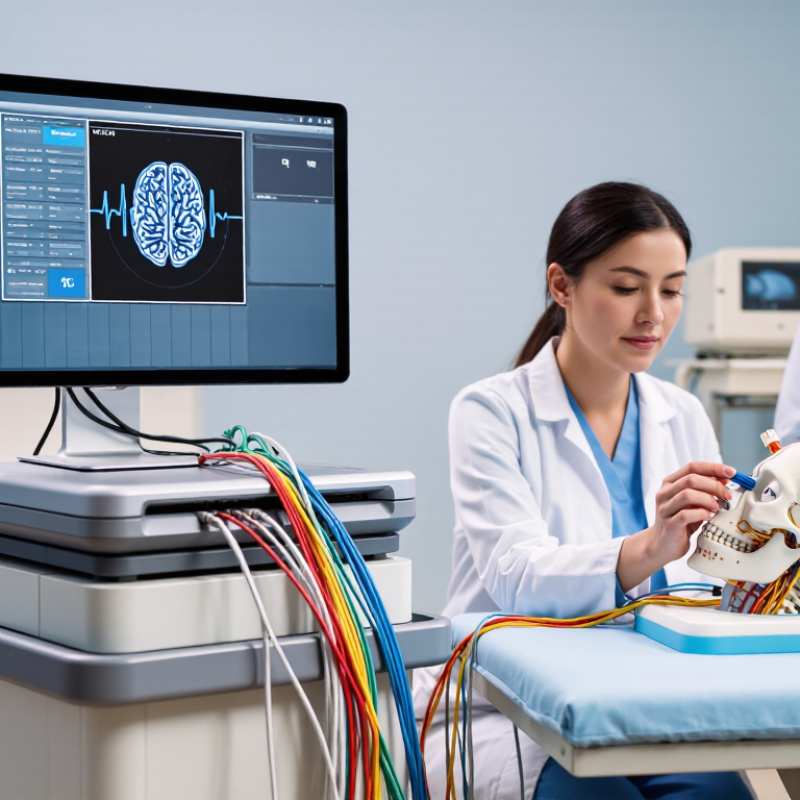
Before comparing neurology machines, define the clinical work they must support. A clinic focused on routine EEG has different needs from a service performing EMG, nerve-conduction studies, or evoked potentials. Start with the workflow. List the patient groups, test types, and daily examination volume. Note practical details too: room size, available staff, existing data systems, and how results are reviewed. Small details matter.
Tip: Ask clinicians and technicians to map a typical appointment, from electrode setup to report completion. Identify where delays occur and which measurements are essential. A machine with many functions may still be a poor fit if the interface slows routine work.
It is easy to overestimate future demand; use recent caseloads and realistic plans rather than hopeful guesses.
Match specifications to the intended applications. Check channel capacity, signal quality, compatible accessories, report tools, and data export needs against your actual protocols. For procedures involving different patient groups, consider adjustable settings and accessible controls. Confirm training, maintenance, and technical support with qualified suppliers, and involve biomedical engineering staff where available. Ask for a demonstration using representative test scenarios, not just a polished sales script. One awkward point: teams may disagree about which features matter most. Record those trade-offs before purchase, and revisit them after a trial if possible.
Neurology machines serve different clinical questions, so compare function before price. EEG systems record brain electrical activity and suit seizure assessment or prolonged monitoring. EMG and nerve-conduction systems evaluate muscle and peripheral nerve function using electrodes and controlled electrical stimulation. Evoked-potential systems measure responses to specific sensory signals. The World Health Organization’s 2024 Global Status Report on Neurology estimates that more than 3 billion people worldwide live with a neurological condition. That figure signals broad need, not a sales forecast. The right system depends on your patients, tests, and staff.
Tip: Match the machine to the workload. For EEG, check channel count, sampling rate, electrode impedance tools, and video synchronization. For EMG/NCS, assess stimulator control, waveform display, and whether the interface makes comparisons easy. A crowded screen can slow a busy clinic. More features are not always better.
Tip: Test the full workflow before purchase. Ask staff to connect electrodes, run a sample study, review signals, and export a report. Check compatibility with existing records, cleaning requirements, training, calibration, and local service access. Read the specifications carefully, then test real cases; I would not treat a polished demo as proof of daily reliability. Consider patient comfort, too, especially for longer recordings.
A neurology machine may look precise on screen, but its measurements must be dependable in clinical use. During evaluation, check how it performs across routine tests, not only during a polished demonstration. Request calibration records and ask how often sensors, cables, and other components need inspection. Compare sample readings with a suitable reference, and confirm that results remain consistent across repeated tests. A polished demo can hide limitations. Ask what conditions affect accuracy, such as patient movement or electrical interference.
Safety checks should cover more than the power switch. Confirm electrical safety, grounding, patient isolation, and the function of alarms before purchase. Ask how the device handles faults and what maintenance tasks require trained service personnel. Consider cleaning requirements and whether cables or electrodes can be safely replaced. Small details matter. They affect daily use.
Review regulatory documents for the country and intended clinical setting where the equipment will be used. Check that the stated approvals match the exact model and its intended purpose. Do not assume a certificate alone proves the machine suits your workflow. Documentation matters. Have qualified clinical engineering and medical staff review the records, test the equipment, and assess training needs. If a supplier cannot clearly explain a safety feature or accuracy claim, pause and verify it independently.
Usability is easiest to judge during a realistic clinic workflow, not a polished sales demonstration. Ask technicians to set up the system, attach electrodes, enter patient details, and review a sample recording. Can they find common controls without searching through several screens? Are cables clearly labeled and easy to handle with gloved hands? Small details matter. A confusing interface may slow a busy room, even when the machine offers advanced features.
Compatibility deserves a hands-on check. Confirm that the system supports your existing electrodes, amplifiers, computers, and record formats. Ask how it transfers results into your clinical records, and test the connection with your actual network setup. Do not assume that a familiar connector guarantees smooth integration. Service support matters just as much: request written details on response times, replacement parts, software updates, training, and maintenance. Test it yourself. A reliable support plan should explain what happens when equipment fails during a full clinic day. One awkward truth: the lowest-cost option may fit today’s workflow but require extra adapters or staff training later. Compare those practical costs, and ask a biomedical technician to review the installation requirements before purchase.
| Tip | Evaluation Dimension | What to Assess | Practical Check | Evidence to Request |
|---|---|---|---|---|
| 1. Match the system to your clinical services | Clinical capabilities | Confirm that the system supports the studies your service plans to perform, such as EEG, EMG and nerve conduction studies, or evoked potentials. Available functions vary by configuration. | List required study types, channels, accessories, and reporting needs before comparing systems. | Configuration list, technical specifications, and a demonstration using representative workflows. |
| 2. Test usability with real users | Workflow and ergonomics | Assess setup steps, patient preparation, control layout, display readability, and how easily staff can enter notes and review signals. | Have intended users complete a typical test and document the steps, time, and points of confusion. | Hands-on evaluation, user training plan, and interface documentation. |
| 3. Verify compatibility before purchase | Connectivity and interoperability | Check connections to existing computers, networks, printers, and clinical information systems. Confirm supported data export and interface options. | Ask your IT team to review network, operating-system, and interface requirements against your current environment. | Integration specifications, supported export formats, and written confirmation of required interfaces. |
| 4. Review signal quality and configuration options | Technical performance | Compare relevant specifications, recording options, filters, and available electrodes or accessories for the intended examinations. | Use a consistent test protocol during demonstrations and assess whether the recorded signals meet your clinical workflow needs. | Technical datasheets, accessory compatibility list, and sample recordings where available. |
| 5. Check service and maintenance support | Service availability | Clarify service hours, response procedures, repair arrangements, preventive maintenance, and availability of replacement parts. | Request service terms in writing and identify the contact and escalation process for equipment issues. | Service-level terms, maintenance schedule, warranty details, and technician training information. |
| 6. Evaluate training and data-handling safeguards | Staff readiness and information security | Determine what onboarding is included and how user access, data storage, backup, and software updates are managed. | Confirm that training covers routine operation and that local IT policies can be followed. | Training materials, user-access documentation, backup guidance, and security documentation. |
| 7. Compare total cost over the expected service life | Ownership cost | Consider purchase price alongside accessories, installation, training, service, software, and any recurring costs. | Compare written quotes using the same configuration and a clearly stated ownership period. | Itemized quote, warranty coverage, recurring-cost schedule, and upgrade terms. |
Tip: Compare the full ownership cost, not just the purchase quote. Include installation, room upgrades, software, staff training, electrodes, service contracts, and replacement parts. CMS reported that U.S. national health spending reached $4.9 trillion in 2023, a 7.5% increase from 2022. That broad budget pressure makes predictable ongoing costs worth checking carefully.
For an EEG or EMG system, ask for a written estimate covering at least five years. Check service response times, contract exclusions, software renewal fees, and the price of commonly replaced accessories. The World Health Organization’s 2011 Medical Equipment Maintenance Programme guide emphasizes planning for maintenance resources, including trained staff and spare parts. A low initial price may hide gaps here. Even careful estimates miss something.
Choose features your clinic will actually use. Match channel capacity, portability, reporting tools, and workflow to patient volume and staff skills. Request a live demonstration using a typical appointment setup, and ask staff to test the steps they perform every day. Tip: Compare two or three systems with the same cost categories and realistic usage assumptions. The comparison will not be perfect, but it can reveal which system fits your service without paying for idle features.